
Redlining a contract means marking up a draft with visible proposed edits, tracked changes, and comments, rather than silently rewriting the text. To do it well, always work from a saved copy with Track Changes or Suggesting turned on, and attach a short rationale to every substantive edit. The rest comes down to discipline: version control, clause triage, and a clean handoff at signing. A full checklist follows below.
What Redlining Actually Means (and Why It's Not the Same as a Blackline)
Redlining traces back to paper contracts marked in red ink to show proposed changes. That habit survived the shift to Word and Google Docs, just with color-coded strikethroughs instead of literal red pens. Today, a redline is a live document showing tracked insertions, deletions, and margin comments, capturing the back-and-forth of a negotiation as it happens.
A blackline, by contrast, is a static comparison report, usually generated by software, that shows the net differences between two versions without the running commentary of an active negotiation. You redline while negotiating. You blackline to verify what actually changed between drafts, especially useful when someone claims "nothing substantive moved" and you want proof.
There's a legal wrinkle worth understanding before you touch a single word. Under contract law's mirror-image rule, a redline that alters terms typically operates as a counteroffer, not an acceptance. That means the original offer is generally off the table once you've marked it up. Courts also tend to limit how much weight earlier drafts carry later, thanks to parol evidence rules and exceptions tied to settlement-negotiation protections like Federal Rule of Evidence 408. None of this is legal advice for your specific deal, but it explains why sloppy redlines carry more risk than people assume.
How to Redline a Contract Step by Step
Start by reading the entire draft once before you touch anything. Skimming and editing at the same time is how people miss a termination clause buried on page 14 while fixating on the payment terms up top.
- Save a new file immediately. Name it something specific, like "MediaCo_Sponsorship_v2_YourName_2026-03-01." Never edit the original file a counterparty sent you.
- Turn on tracked editing before you type a word. In Word, that's
Ctrl+Shift+Eon Windows orCmd+Shift+Eon Mac. In Google Docs, switch to Suggesting mode from the editing dropdown in the top right. - Confirm you're viewing "All Markup." This shows every insertion, deletion, and comment inline instead of hiding them behind a clean preview.
- Make edits at the sentence or clause level, not by rewriting whole paragraphs. Granular changes are easier for the other side to evaluate and approve individually.
- Attach a one-line comment to every substantive edit. "Capping liability at 12 months' fees to match industry norm" takes five seconds to write and can save two email chains.
- Send both the redlined file and a clean version so the counterparty can read the proposed contract in context and in isolation.
When counter-redlines come back, resist the urge to hit "Accept All." Go clause by clause. If you're rejecting something the other side proposed, manually strike through the text rather than clicking "Reject" on a tracked change. Straight rejection can silently erase the edit from the visible history, and that kind of disappearing redline makes it hard to prove what was actually negotiated if a dispute arises later.
If someone sends you a PDF instead of an editable file, convert it only when there's no other option. PDF conversions can scramble formatting and tables. If markup ever looks missing or inconsistent with what you remember discussing, run a compare function to generate a blackline before you assume the draft is clean.
Pro Tip: Keep a running email or message thread with a one-line summary of each round: "v3 sent 3/1, addressed indemnity cap and renewal notice window." It takes 30 seconds and saves you from re-litigating what already got resolved two rounds ago.
Best Practices That Actually Speed Up Negotiations
Most negotiation delays aren't caused by disagreement. They're caused by confusion about what changed, why, and whether it's a dealbreaker. A few habits fix most of that.
Build a playbook before you're mid-negotiation, not during it. A one-page reference with your standard fallback positions on liability caps, indemnification, and termination notice means you're not improvising language under time pressure. Legal teams that negotiate from a documented playbook consistently move faster because they're not reinventing acceptable language every time.
Not every clause deserves equal attention. Spend your review time on the clauses that carry real financial or legal exposure: limitation of liability, indemnification, IP rights, payment terms, termination and renewal, and governing law. A typo in the recitals doesn't need the same scrutiny as an uncapped indemnification obligation.
Explain yourself. A poll of contract professionals found that 79% identify as collaborative negotiators, and unexplained edits read as demands rather than requests. A short comment turns an edit into a conversation instead of a standoff.
A few more rules worth locking in:
- Change one idea per edit. Bundling three concerns into a single tracked change makes it impossible for the other side to accept two and push back on one.
- Keep your tone neutral in comments. "This needs to be fixed" reads very differently from "Suggesting a 30-day cure period here to match our standard terms."
- Agree on file format early. If outside counsel wants PDFs and your team wants editable Word docs, settle that before round two, not after.
Pro Tip: Send your playbook position on the one or two clauses you care most about in the first round, not the fifth. Front-loading your real priorities, instead of drip-feeding demands, cuts negotiation rounds noticeably.
The Redlining Mistakes That Cost the Most Time
Version sprawl is the quiet killer of most contract negotiations. Five email attachments named "Final," "Final_v2," and "Final_ACTUALFINAL" is not a filing system, it's a liability. Every draft needs a unique, descriptive name the moment it's created.
Untracked edits are worse. If a returned draft looks suspiciously clean, or a paragraph reads differently than you remember with no visible markup, don't assume it's fine. Run Word's Compare function to generate a blackline against your last version. If the software surfaces changes that weren't flagged, treat that draft as unreliable and go back to the counterparty.
Metadata is the other blind spot. Before sending any file, check File → Info → Inspect Document in Word. This strips hidden comments, revision history, and author names that shouldn't leave your organization. Skipping this step has leaked internal pricing notes and legal strategy more than once.
A few habits prevent most of the damage: For freelancers looking to improve client negotiations, mastering case study marketing for freelancers can also provide valuable strategies in presenting and managing contracts effectively.
- Never click "Accept All Changes" without scrolling through every single one first.
- Use the Next/Previous buttons to step through markup one change at a time rather than trusting a summary view.
- If a redline comes back so heavily marked up that you can't tell what's actually being proposed, stop emailing and get on a call. Fifteen minutes of conversation resolves what could take five more rounds of markup.
Which Tools Should You Use to Redline a Contract?
Word remains the default for a reason: Track Changes, Compare, and Inspect Document give you a complete workflow in one application, and nearly every legal team already works in it.
Google Docs earns its place for speed. Real-time collaboration and Suggesting mode make it easy for two people to edit simultaneously, though formatting can shift when a document eventually gets exported back to Word.
- PDF redlines still show up when outside counsel wants tighter control over formatting, since some firms prefer the extra structure PDFs enforce even though editing them is clumsier.
- CLM and negotiation platforms matter once you're handling contract volume, keeping one authoritative draft and history instead of scattered attachments.
- AI-assisted first-pass tools compare a draft against your playbook automatically, flagging noncompliant language before a human ever opens the file.
Your Pre-Send and Pre-Sign Checklist
Before sending a redline, run through this fast:
- File is saved under a new, descriptive version name.
- Track Changes or Suggesting mode is active for the entire session.
- Every substantive edit has a one-line comment explaining the reasoning.
- Both the redlined file and a clean copy are attached.
Before signing anything, confirm the final draft with equal rigor.
| Pre-sign check | Why it matters |
|---|---|
| Every accepted/rejected change reviewed line by line | Prevents silently agreeing to terms you never actually reviewed |
| Document inspected and metadata removed | Stops hidden comments or names from leaving your organization |
| Final clean copy confirmed with counterparty before signature | Eliminates last-minute disputes about which version is binding |
Do this now: save your current draft under a proper version name, and turn on tracked editing before your next round of comments.
What an AI First Pass Looks Like for Creator Deals
Sponsorship and licensing contracts in the creator economy tend to repeat the same handful of problems: vague usage rights, missing kill fees, indemnification language lifted wholesale from a template that doesn't fit the deal. That repetition is exactly what an automated first pass is good at catching.
AI-powered contract analysis can compare a draft against a standard playbook in seconds, flagging clauses that deviate from acceptable norms so a human reviewer starts from a shortlist of real issues instead of a blank page. An AI-powered contract analysis approach to creator-brand deals can run a first-pass contract review that scores clarity and surfaces red flags before either side spends an hour on manual markup.
- Automation handles the routine: missing terms, boilerplate mismatches, inconsistent definitions.
- Human judgment still decides the commercial tradeoffs: what a rate should be, whether exclusivity is worth the ask, how much risk is acceptable.
Pro Tip: Let AI clear the administrative clutter first. Save your own negotiating energy for the two or three terms that actually determine whether the deal is good for you.
The Part of Redlining Most Guides Skip
Most advice on redlining treats it as a formatting problem: turn on Track Changes, name your files, done. That misses the actual leverage point. The real skill is deciding what's worth a redline at all. Marking up every awkward sentence in a 20-page agreement signals that you don't know which three clauses actually carry risk, and it trains the other side to skim your comments instead of reading them carefully.
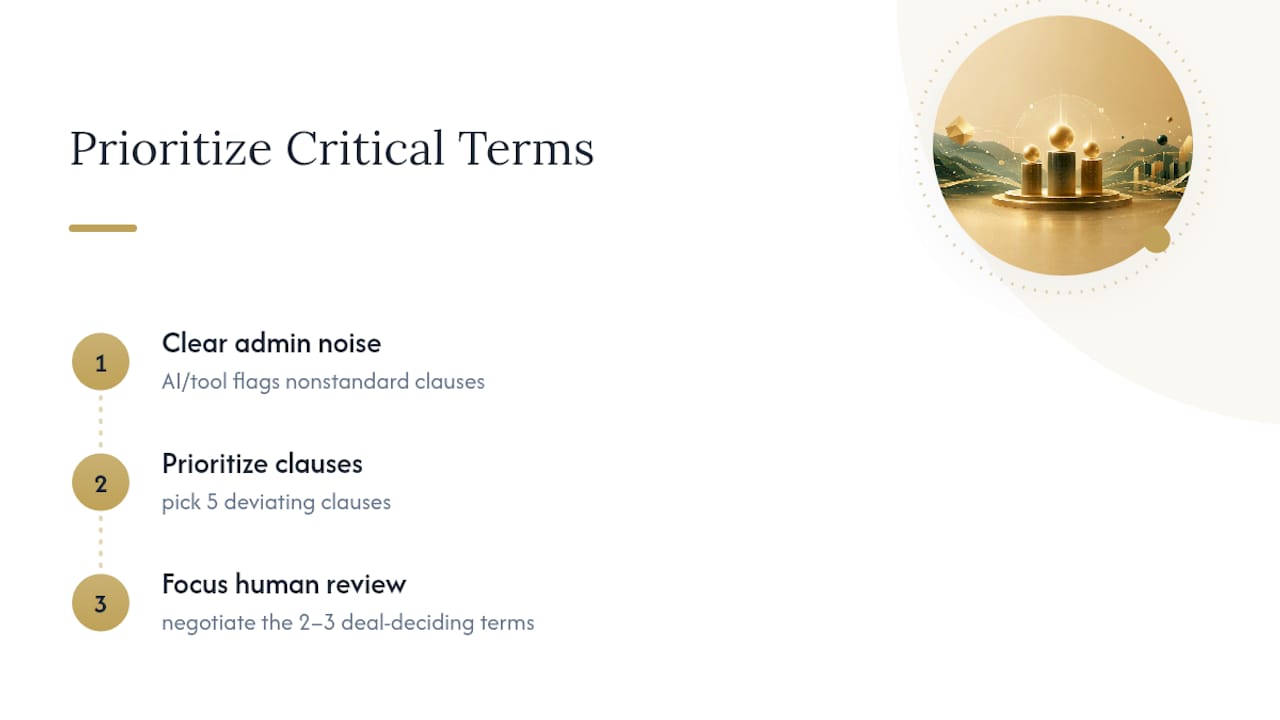
Playbooks fix this because they force the prioritization decision in advance, before adrenaline and deadline pressure make everything feel urgent. And AI-assisted first passes are useful for exactly the same reason: they're not smarter than a lawyer, they're just faster at telling you which five clauses out of forty actually deviate from your standard.
What I'd push back on is the instinct to see automation and human judgment as competing options. The strongest workflow is sequential. Let a tool clear the administrative noise first, then spend your attention on the two or three terms that determine whether you're actually getting a good deal. Skip that sequencing, and you'll spend your best negotiating energy on a comma.
— Brian
Sources
For deeper detail on the mechanics covered here, see the step-by-step Word redlining guide, the legal effects of redlining, and contract redlining fundamentals for legal teams. Creators negotiating specific clauses can also check Blackx's indemnification playbook for creators.
- Contract Redlining Rules: How to Increase Efficiency During Negotiations | ACC Corporate Counsel Now
- How to Redline a Contract | Forbes
- What does redlining mean in contracts? | Legal Clarity
- How to Redline a Contract in Word: Step-by-Step Guide (2026)
FAQ
How Do You Redline a Legal Document?
Save a working copy, turn on Track Changes (Word) or Suggesting (Google Docs), make granular edits with explanatory comments, and share both the marked-up file and a clean version alongside it.
Can ChatGPT Redline a Contract?
General AI chat tools can suggest edits to pasted text, but they don't track changes natively inside a document and lack a playbook to check against, which limits their reliability for real negotiations. Purpose-built contract analysis tools handle first-pass redlining more consistently because they compare drafts against defined standards.
Does DocuSign Allow for Redlining?
DocuSign is built for e-signature and routing, not for tracked-change markup, so redlining typically happens in Word or Google Docs before the final version moves into DocuSign for signature.
Can You Give an Example of a Redline Contract?
A redline contract shows a payment clause with "30 days" struck through and a shorter payment window inserted in a different color, alongside a margin comment reading something like "Requesting shorter payment window to match our standard terms."